

iOS (Safari)
-
Open the Settings app on your iPhone or iPad.
-
Scroll down and tap Safari.
-
Find Block Pop-ups and toggle it off.
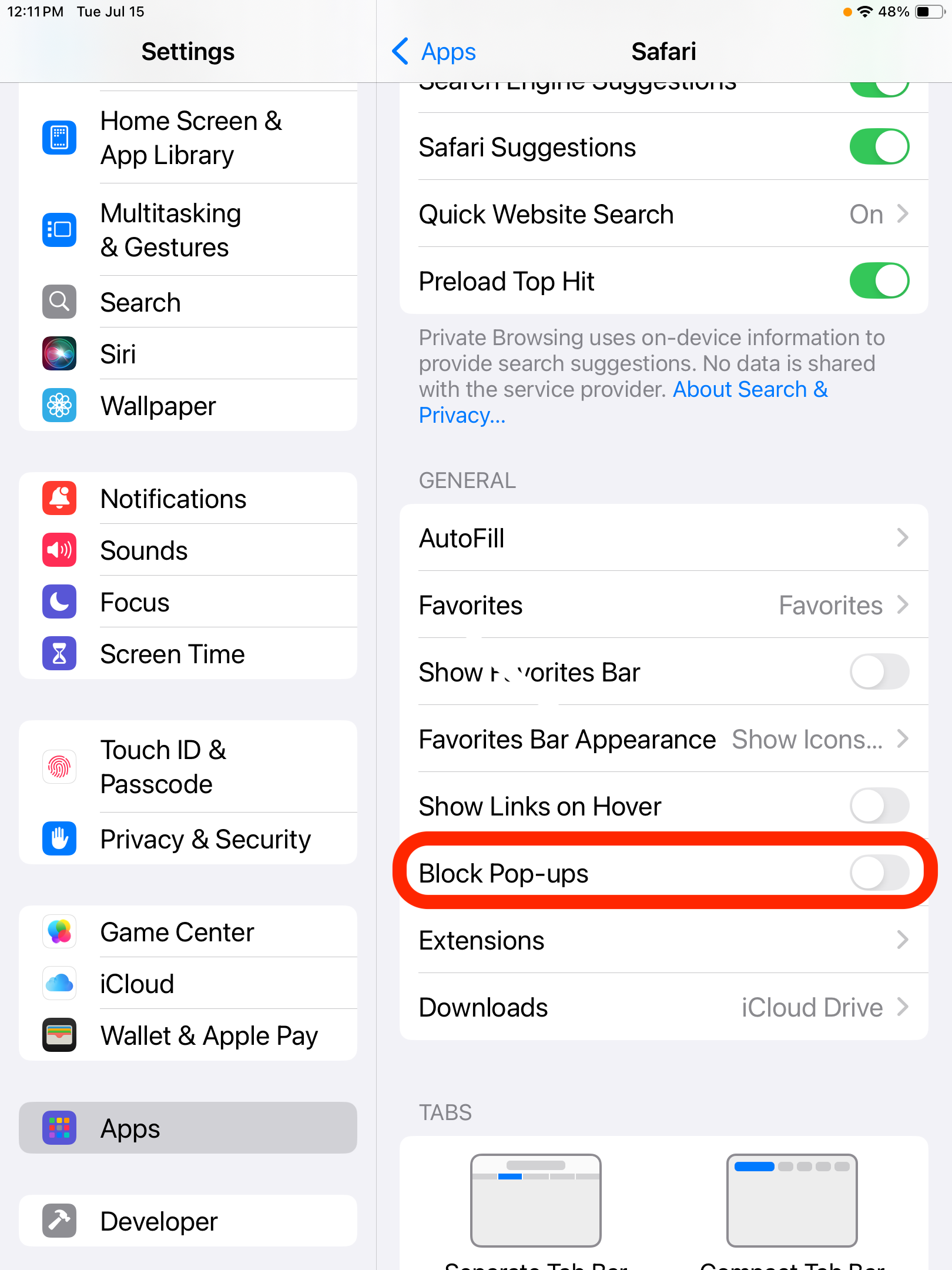
After disabling the “Block Pop-ups” setting:
-
Open the EPRO Mobile App and initiate a PunchOut.
-
Upon tapping PunchOut, you will be redirected to Safari.
-
A redirection page will appear briefly.
-
After a few seconds, a pop-up prompt will appear asking whether to allow the PunchOut, as shown below.
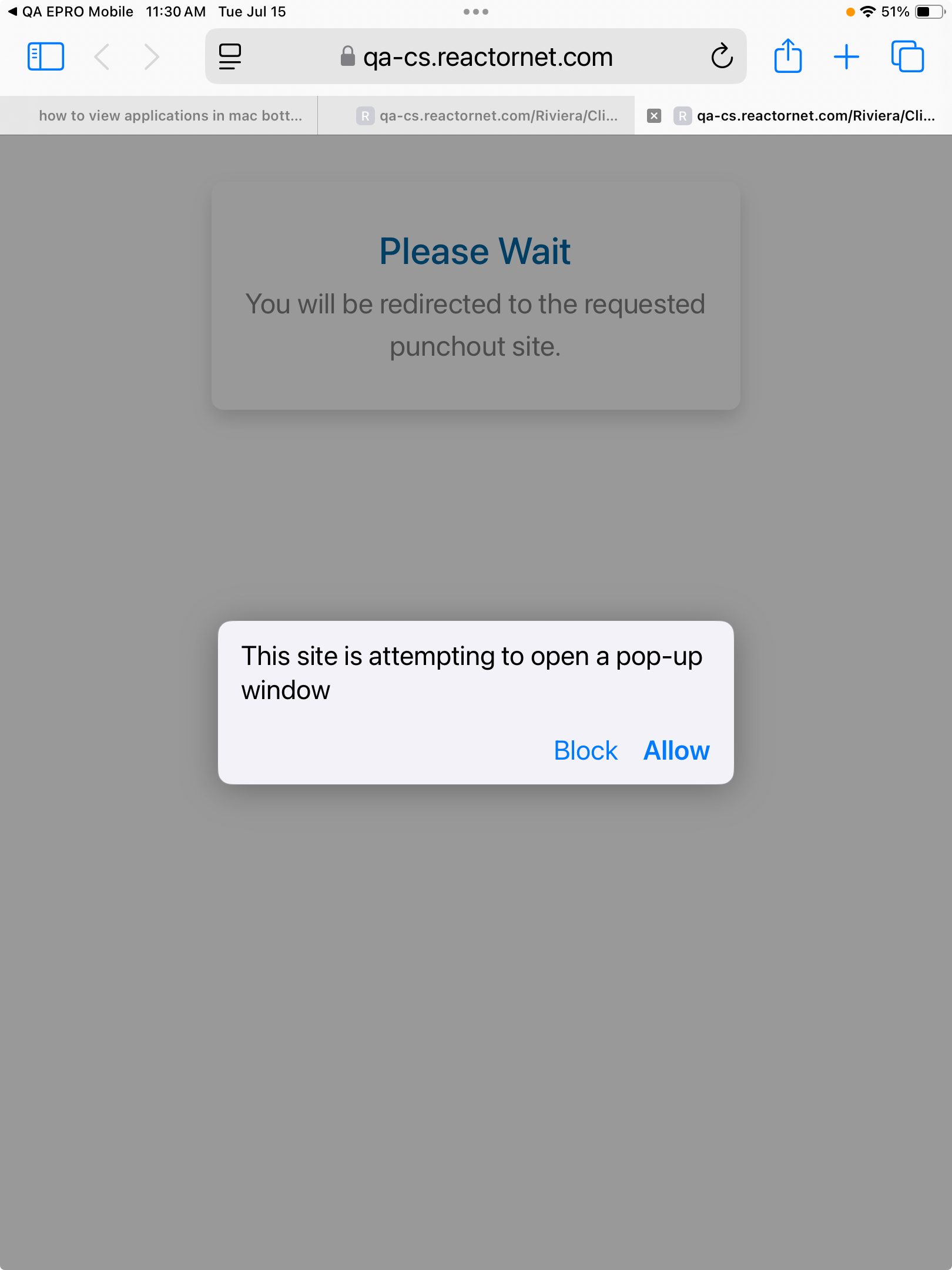
Once you tap Allow, the corresponding PunchOut site will open.
If you accidentally tap Block, no worries — simply go back to the EPRO Mobile App and reinitiate the PunchOut process.
Android (Google Chrome)
When you open the EPRO Mobile App and initiate a PunchOut, you’ll be redirected to the Chrome browser.
-
The first time this happens, Chrome will prompt you to allow pop-ups.
-
Select “Always allow” to proceed.
-
After that, you won’t be asked again for future PunchOut sessions.
.jpeg?cb=f98648b1f452bd15c40c913ca7be8911)