

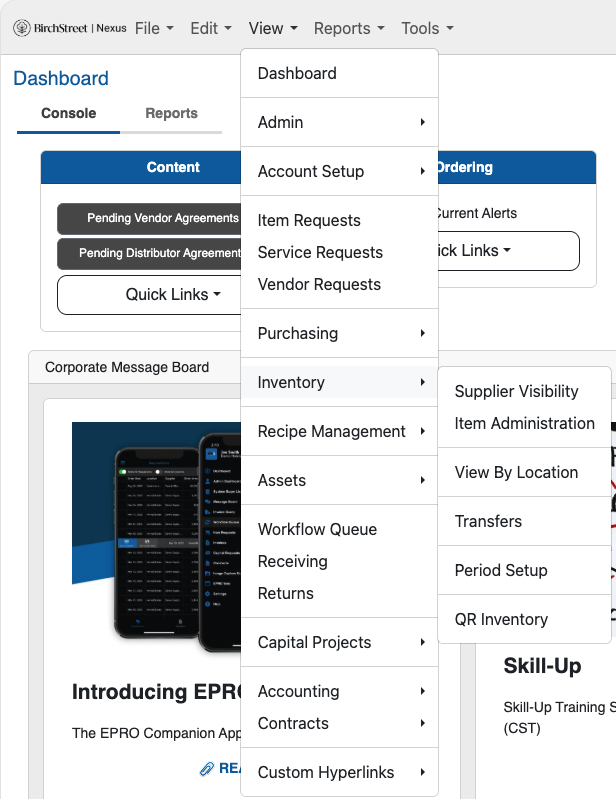
Click on the View menu located in the top navigation bar.
From the dropdown options under View, select Inventory.
Choose View By Location:
Select a Location:
From the list of available locations, choose a location that has a storage location configured.
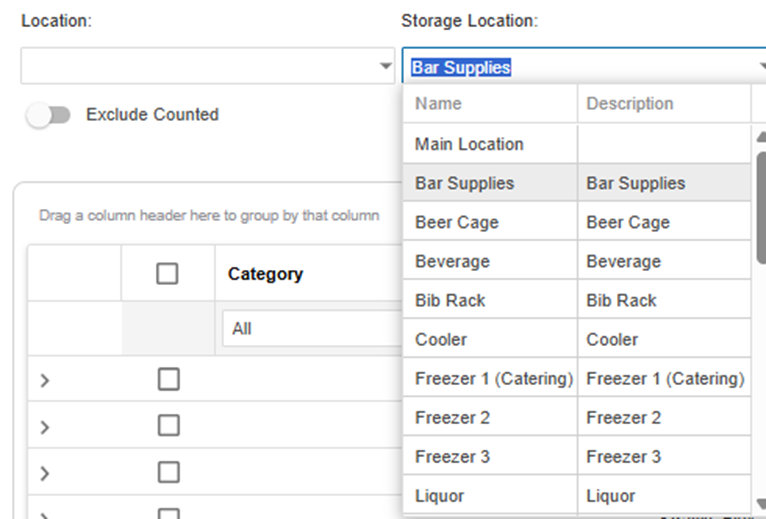
Select the Storage Location:
After selecting the location, a list of storage locations associated with it will appear
Click on the desired Storage Location to view its specific inventory.
To setup a storage location please click here.