

Navigate to the main menu or dashboard.
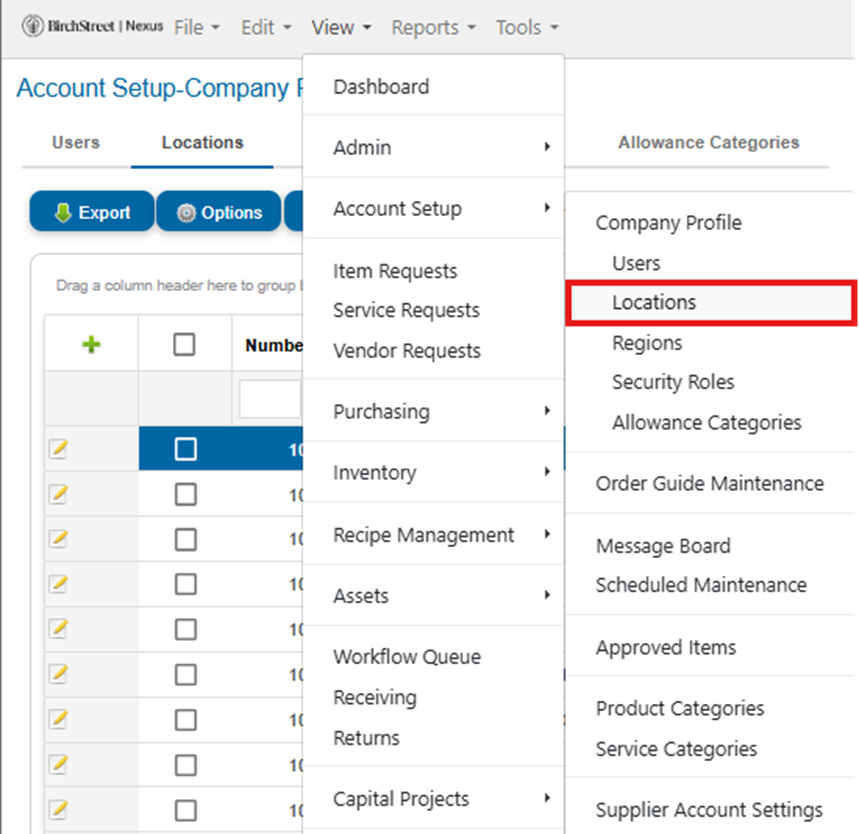
Click on View in the top menu.
From the dropdown, select Account Setup, then click on Locations.
Edit Existing Location
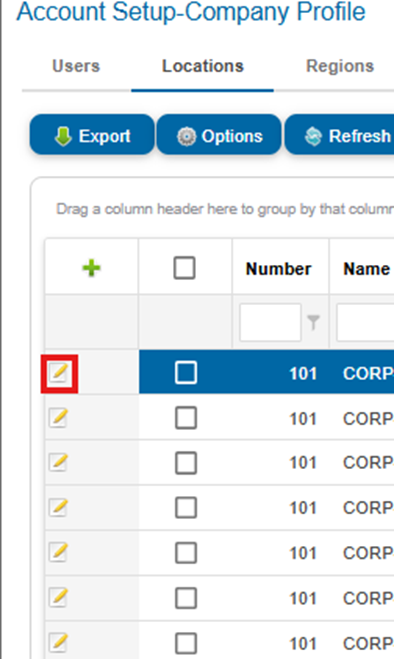
Find the location you want to modify and click the Edit Location button next to it to open Manage Location Settings
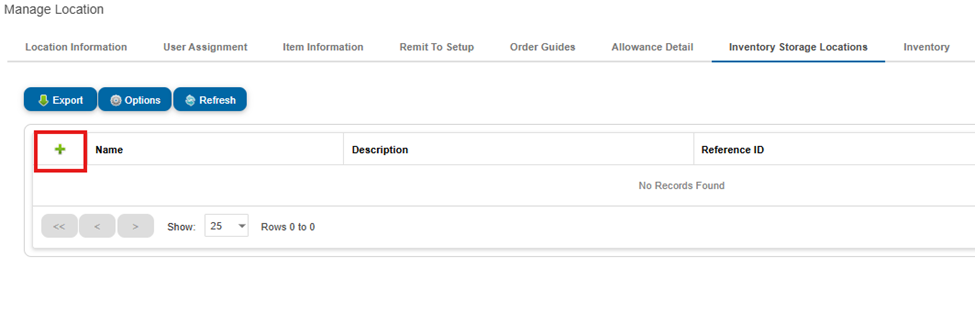
Locate and click on Inventory Storage Locations.

Add New Storage Location
Click the Green Plus (+) button to add a new storage location.
Enter Storage Location Details
Fill in the following fields:
Storage Location Name
Description
Reference ID
Active (Select Y for Yes or N for No)
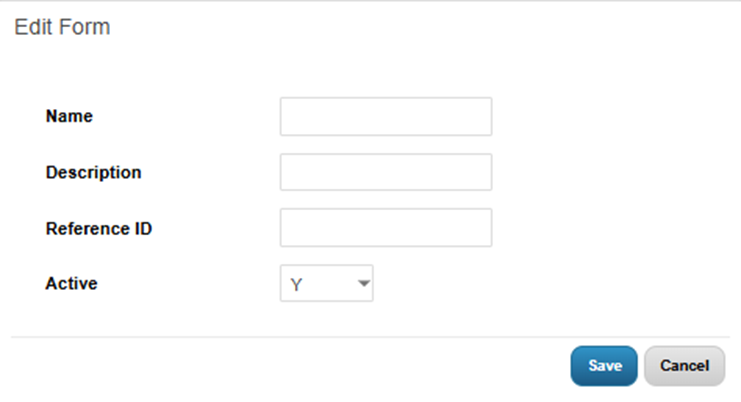
Click Save to finalize the addition.
You have now successfully added a new storage location!