

The Message Board section on the Dashboard contains important information posted by the company. It is used to notify users about order deadlines, policy changes, and upcoming system updates.
Corporate-level users have the ability to add messages to the Message Board, which will be visible to the entire company.
To add a message, follow these steps:
-
Go to View > Account Setup > Message Board.
-
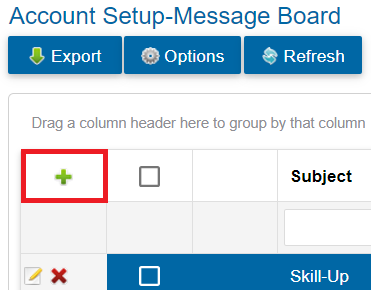
Click the green plus sign to create a new message.
-
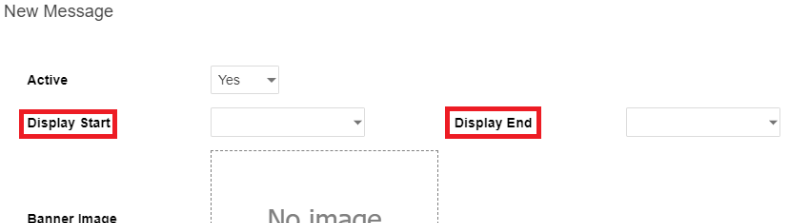
Select a Display Start and Display End date for the message.
-
Set Active to Yes to make the message visible.
-
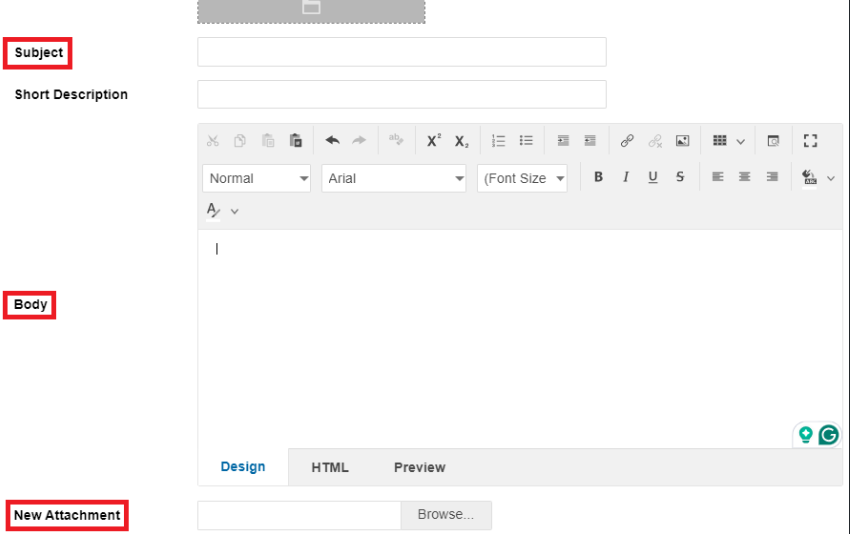
Enter a Subject for the message.
-
Write the Body text for the message.
-
Add a New Attachment (if applicable).
-
Click Save to save the message.
To confirm that your message is displayed correctly, navigate to View > Dashboard.