

One a request is submitted, the process for approving is outlined below.
-
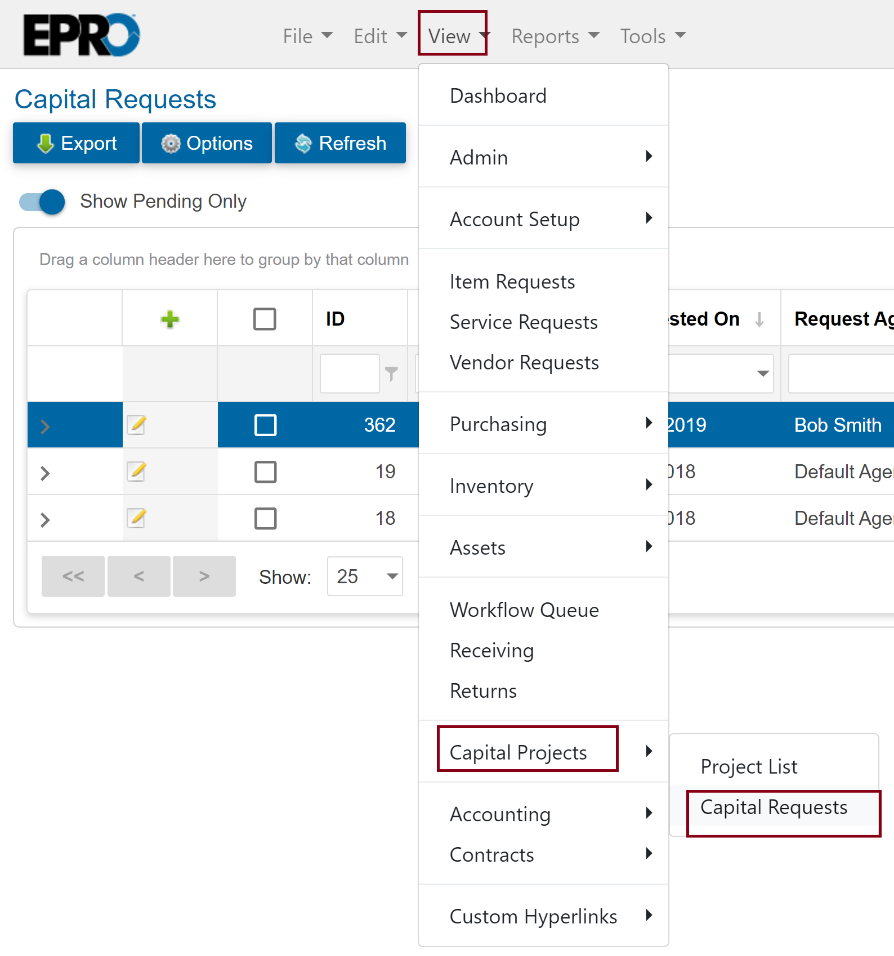
Go to View > Capital Projects > Capital Requests.
-
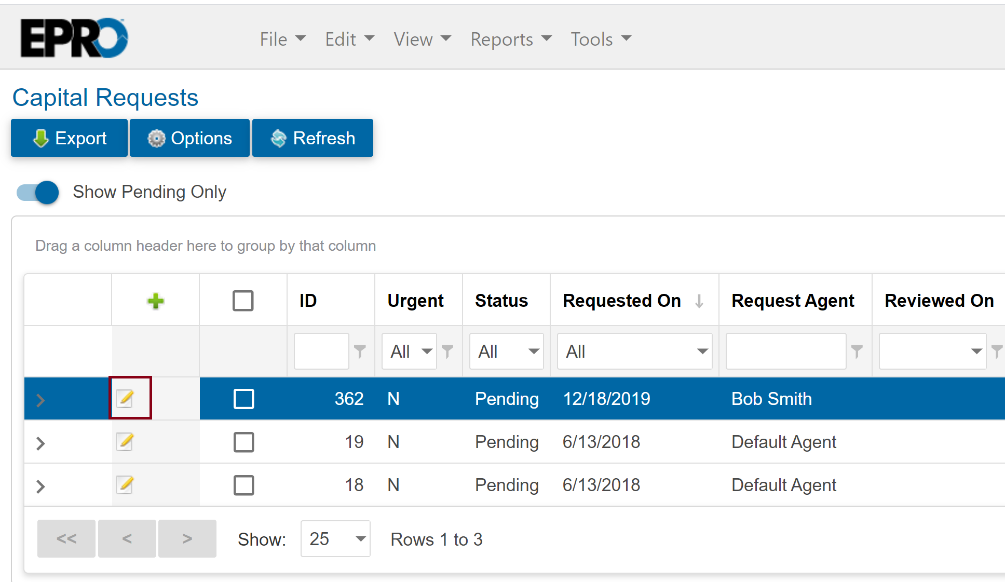
Click the Edit button next to the request that needs approval.
-
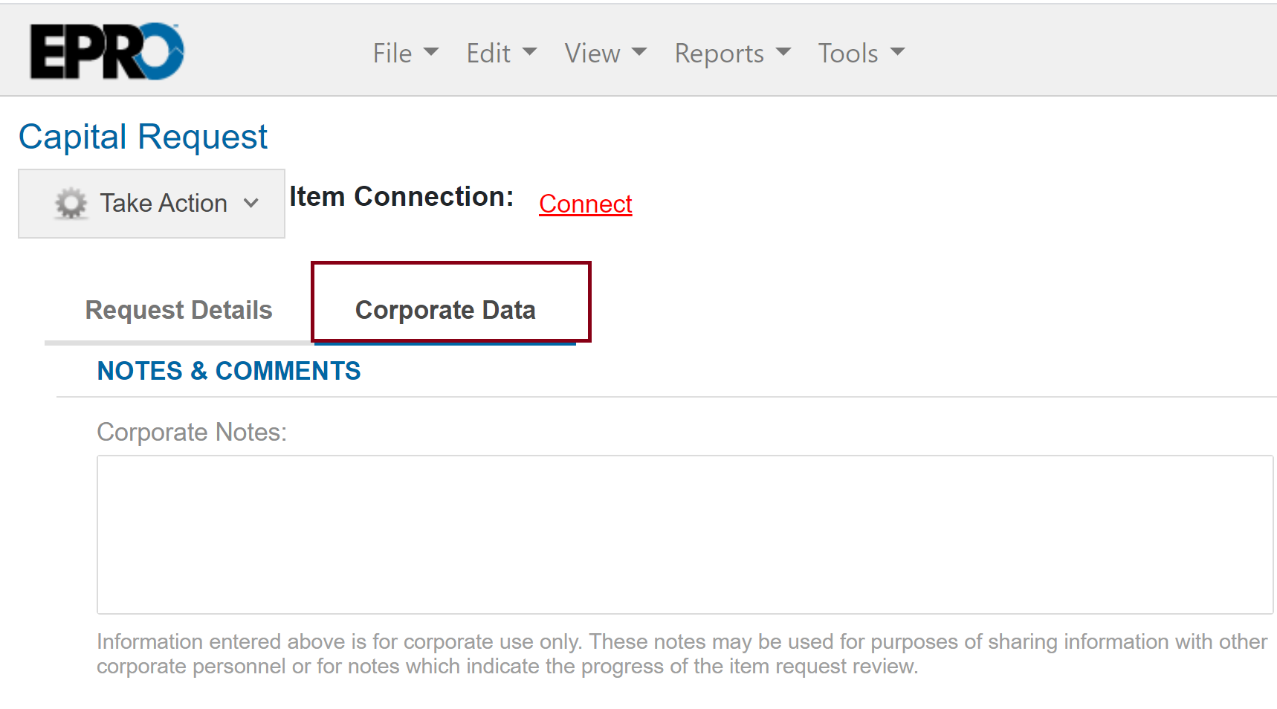
Click on the Corporate Data tab at the top of the form.
-
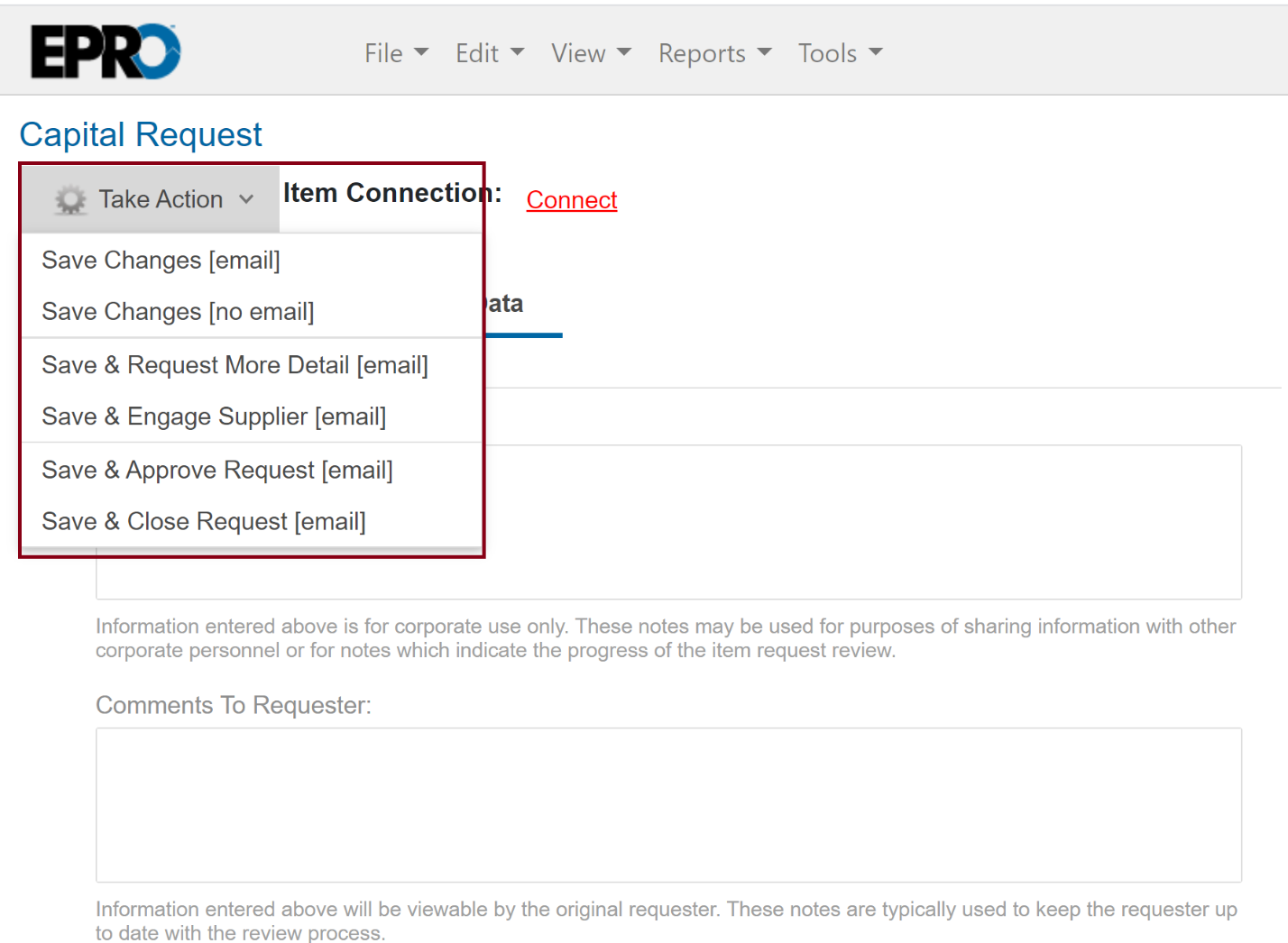
Review the data submitted and click the Take Action button and select the appropriate action.
Note
Any Notes added in the notes field will transfer over to the Project List once the project is created. Take Action further explained:
-
Save Changes [email] - Save any updates and emails to the requester
-
Save Changes [no email] - Save the changes only
-
Save & Request more detail [email] - Sends an email to the supplier with the notes and moves the request in Incomplete status
-
Save & Engage Supplier [email] - will send a email to the supplier
-
Save & approve [email] - Approve the request and notifies the requestor
-
Save & Close [email] -Declines the request and notifies the requestor