

A Budget Period can be manually adjusted on a period by period basis for each General Ledger (GL) Account. Use this method when you want to make changes to a limited number of GL account and Budget Periods.
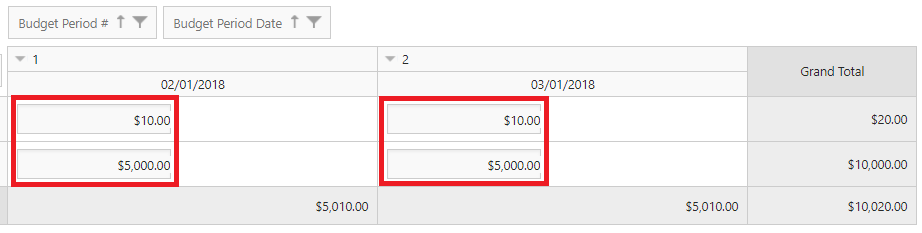
As you will see, making changes this way comes in the form of a grid with inline editing capabilities. Each row designates a GL Account and each column a Budget Period.
-
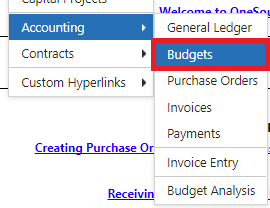
Select View > Accounting > Budgets to navigate to the Budget list screen.
-
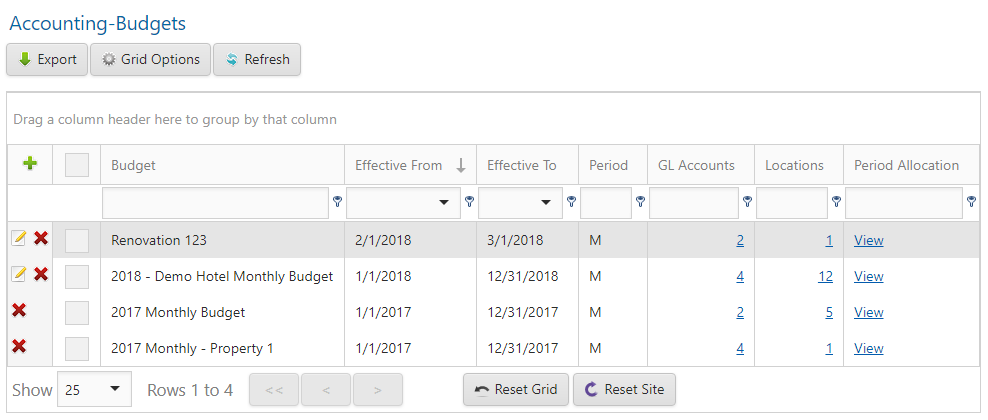
Click the View link located in the Period Allocation column.
-
Click in the edit box for any combination of GL Account and Budget Period and enter a new value.
-
Tab out of the edit box to have your changes saved automatically.